
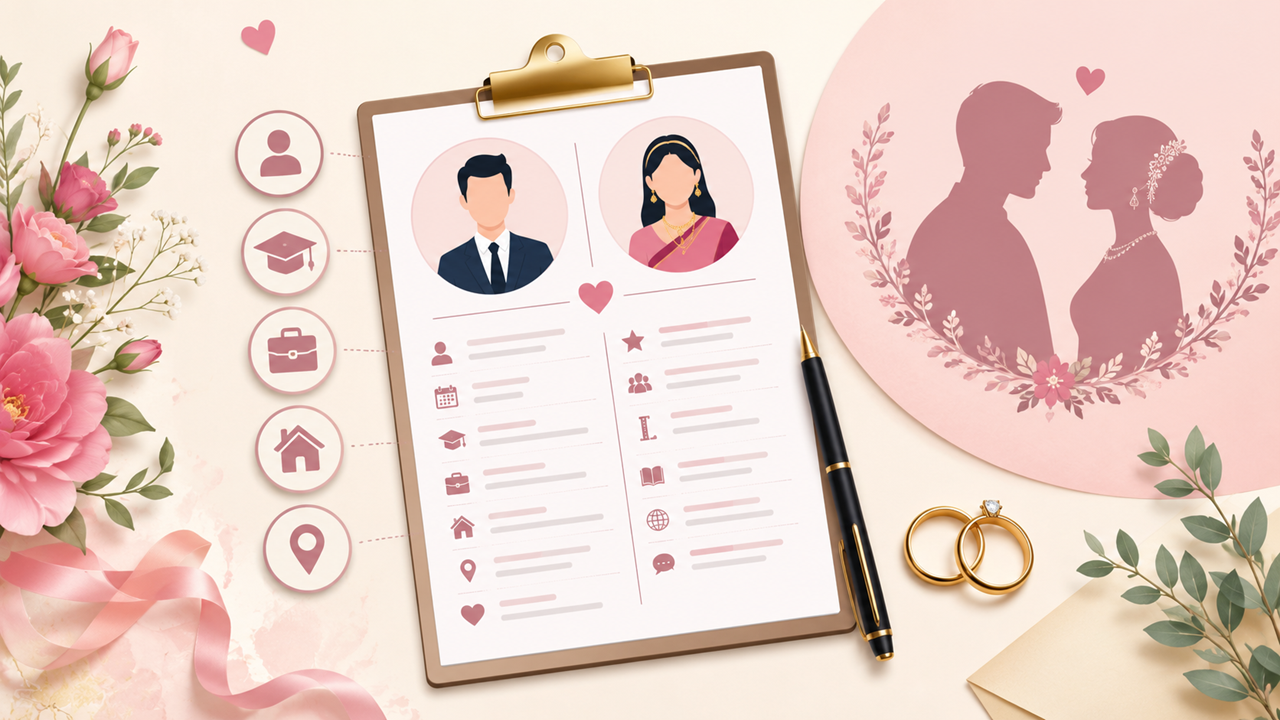
How to Create a Biodata for Marriage: A Simple, Easy Guide
Ghar mein rishta dekha ja raha hai” — in almost every Indian family, this sentence is quickly followed by another one: “Biodata bana lo.” Whether you are a parent searching for a match for your son or daughter, or you are the one getting married and want to prepare your own profile, a marriage biodata is the first impression you create, often before anyone even meets in person. It is a simple one or two page document that sums up who you are — your family, your education, your career, your habits, and what you are looking for in a life partner. This guide walks you through, in very simple language, exactly how to create a marriage biodata that looks good, reads well, and helps you find the right match faster.
What Exactly Is a Marriage Biodata?
A marriage biodata, also called a matrimonial biodata or marriage resume, is a profile document used in arranged marriages across India. Think of it as a resume, but instead of showing your work skills, it shows your personal background — your family, education, career, height, complexion, date of birth, horoscope details (if your family follows them), and a small photograph. It is usually shared with families looking for a match, either through relatives, marriage bureaus, or matrimonial websites and apps.
Earlier, a biodata used to be a simple handwritten or typed page. Today, with so many easy tools available, people prepare neat, well-designed biodata in Word or Canva and send them as a PDF over WhatsApp or email within minutes.
Why a Good Biodata Still Matters
You might wonder, in the age of dating apps and online matrimony, does a printed biodata even matter? The answer is yes, more than ever. A biodata is usually the very first thing the other family sees about you, before any video call, any meeting, any conversation. A clean, honest and well-organised biodata builds trust right away. It tells the other family that you, and your family, are serious, organised, and respectful of their time. A messy, incomplete or careless biodata, on the other hand, can make even a genuinely good profile look unappealing.
A good biodata also speeds up the entire matching process. Families can quickly compare basic details — age, height, education, horoscope — and decide whether to move forward, saving everyone unnecessary back and forth.
What to Include in a Marriage Biodata
There is no single “correct” format, but most Indian marriage biodata follow a similar structure. Here is what you should cover, section by section.
Personal Details
This is the core of your biodata. Include your full name, date of birth, time and place of birth (useful if horoscope matching matters to your family), height, weight, complexion, blood group, religion, caste and sub-caste if relevant, marital status, and mother tongue. Keep each line short and factual.
Family Details
This section tells the other family about your background. Mention your father's name and occupation, mother's name and occupation, the number of siblings and whether they are married, and a short line about your family's values (for example, “well-settled, middle-class family with traditional values”). Simple, short points work far better than long paragraphs here.
Education and Career
List your highest qualification first, followed by other relevant degrees. Mention your current job title, company, and an approximate income range if you are comfortable sharing it. If you are still studying or planning further studies, say so clearly. This is one of the most closely read sections of any biodata, so keep it accurate and up to date.
Contact Details
Add a phone number and email address that you actually use, along with your current city of residence. If a family member will be the main point of contact, mention their number too, and make this clear.
Astrological Details (Optional)
Many Indian families still match horoscopes before finalising a marriage. If this matters to your family, include your rashi, nakshatra, gotra, and manglik status. If horoscope matching is not important to you, this section can be skipped entirely — it is completely optional today.
Hobbies and Interests
A short line about your hobbies or lifestyle — reading, travelling, fitness, cooking, music — helps the other person get a sense of who you are beyond facts and figures. Keep it genuine; don't list hobbies you don't actually enjoy just to sound impressive.
Photograph
Add one or two recent, clear, well-lit photographs. A simple smiling photo in good lighting works far better than a heavily filtered or group photo. Avoid sunglasses, party shots, or outdated college pictures.
About Me / Partner Expectations
Some modern biodata formats add a short two or three line note about yourself and what you are looking for in a partner. This is optional, but it adds a personal touch, especially if you are sharing the biodata directly rather than through family.
Step-by-Step: How to Create Your Biodata
1. Gather all your information first — personal details, family details, education, work history, and horoscope details if needed. Having everything ready before you start designing saves a lot of back and forth.
2. Choose a format. Microsoft Word, Canva, or one of the many free biodata templates available online all work well. Word is great for something simple and editable; Canva suits a more colourful, modern look.
3. Pick a clean, readable layout. A two-column layout, with the label on the left and the detail on the right, is the most popular and easiest to read.
4. Add a recent photograph in the top corner or centre, depending on the template you choose.
5. Fill in each section using short, clear sentences. Avoid long paragraphs anywhere in the document.
6. Proofread carefully. A spelling mistake in your name, date of birth, or contact number can create a poor impression or cause real confusion later.
7. Convert the final biodata to PDF before sharing. A PDF keeps your formatting intact whether someone opens it on a phone, a laptop, or takes a printout.
A Quick Sample Format You Can Follow
Here is a simple reference table showing how a typical biodata section looks once filled in:
|
Field |
Example |
|
Name |
Ananya Sharma |
|
Date of Birth |
14th March 1997, 6:10 AM, Jaipur |
|
Height / Complexion |
5'4" / Fair |
|
Religion / Caste |
Hindu / Brahmin |
|
Education |
B.Tech (Computer Science), MBA |
|
Occupation |
Software Engineer, Bengaluru |
|
Father's Name & Occupation |
Mr. Rajesh Sharma, Bank Manager (Retd.) |
|
Mother's Name & Occupation |
Mrs. Sunita Sharma, Homemaker |
|
Siblings |
One younger brother, unmarried |
|
Contact |
+91-XXXXXXXXXX, ananya.sharma@email.com |
Tips to Make Your Biodata Stand Out
• Keep the design simple. Too many colours, fonts, or decorative borders can look unprofessional — stick to one or two fonts and a single accent colour.
• Be honest. Never exaggerate height, income, or qualifications; these details surface anyway during meetings, and starting with a false impression rarely ends well.
• Keep it to one page. Unless you have an unusually long career history, one page is enough — families generally prefer a biodata that can be read in under two minutes.
• Update it regularly. If your job, city, or qualification changes, update the biodata before sharing it again.
• Use a good quality photo. A recent, clear photograph matters more than any design element on the page.
Common Mistakes to Avoid
Many people make small mistakes that quietly reduce the impact of an otherwise good biodata. Some of the most common ones include using an old or blurry photograph, leaving out contact details, mentioning inconsistent information such as different ages in different places, choosing fancy fonts that are hard to read, forgetting details like manglik status when the family expects them, and skipping a final proofread before sending it out.
Word, PDF or Canva — Which Should You Use?
For most people, the easiest path is creating the biodata in Microsoft Word using a simple table-based layout, then saving it as a PDF before sharing. Word gives full control over text and formatting and suits even the most basic biodata needs. Canva is a good option if you want a more visually designed biodata with borders, icons, and colour themes, especially if you are comfortable using design tools. Whichever tool you choose, always send the final version as a PDF — it keeps the layout consistent across devices and looks noticeably more professional than a plain Word file or an image.
Does the Biodata Format Change by Religion or Community?
The overall structure of a marriage biodata stays largely the same across religions, though a few details differ. Hindu biodata often include horoscope details such as rashi, nakshatra, gotra, and manglik status. Muslim biodata generally skip horoscope details and may instead mention sect and family background. Sikh and Christian biodata are usually simpler, focusing mainly on personal, family, education, and career details without any astrological information. If you are unsure what to include, look at a few sample biodata from your own community, or ask an elder family member, since they usually know what local families expect.
Where Should You Share Your Biodata?
Once your biodata is ready, there are a few common ways families share it. The most popular today is simply forwarding the PDF over WhatsApp, either directly to the other family or through a common relative who is helping with the match. Many people also upload their biodata, along with photos, on matrimonial websites and apps so that interested families can view it online. Some families still prefer working through a local marriage bureau or a trusted family priest, who keeps a record of biodata from several families and suggests matches based on community, horoscope, or background. Whichever method you choose, keep at least two versions ready — a PDF for digital sharing and a printed copy for relatives who prefer a physical document during family discussions.
Biodata for a Second Marriage or Divorcee
If you are creating a biodata for a second marriage, after divorce, or after the loss of a spouse, the format remains largely the same, with one small addition. Mention your marital status clearly — divorced or widowed — along with a brief, neutral line about the reason if you are comfortable sharing it, and details of children, if any, including their age and custody arrangement. Being upfront about this early avoids misunderstandings later and is generally appreciated by families considering the match.
Final Thoughts
Creating a marriage biodata does not need to be complicated. Keep it honest, organised, and easy to read, add a recent photograph, and double-check every detail before sharing it. A simple, well-made biodata often leaves a stronger impression than an overly designed one, because what matters most to families on the other side is clarity and authenticity. Take your time, gather accurate information, and your biodata will do its job well — opening the door to the right conversations and, hopefully, the right match.
Frequently Asked Questions
How long should a marriage biodata be?
One page is ideal. Two pages are acceptable if you have detailed work experience, but anything longer becomes difficult for families to go through quickly.
Should I include my salary in the biodata?
It's optional. Many people mention an approximate income range, while others prefer to discuss this only once the conversation moves further. Either approach works fine.
What size or type of photo should I use?
A clear, recent passport-size or half-length photo works best. Avoid heavily edited or filtered images, as they rarely match how you actually look in person.
Can I make a biodata on my phone?
Yes. Apps like Canva, and even the mobile version of Word, let you create a complete biodata from your phone within minutes.
Is including horoscope detail compulsory?
No, it depends entirely on your family's preference. Many modern biodata formats skip it altogether.